Skip to content
Hovera
Hovera Build

Plan it. Make it. Trace every part.

Hovera Build runs production for manufacturers. Plan orders, run them at the station, and post what you made straight into stock, with a record of every part, person and machine that went into it.

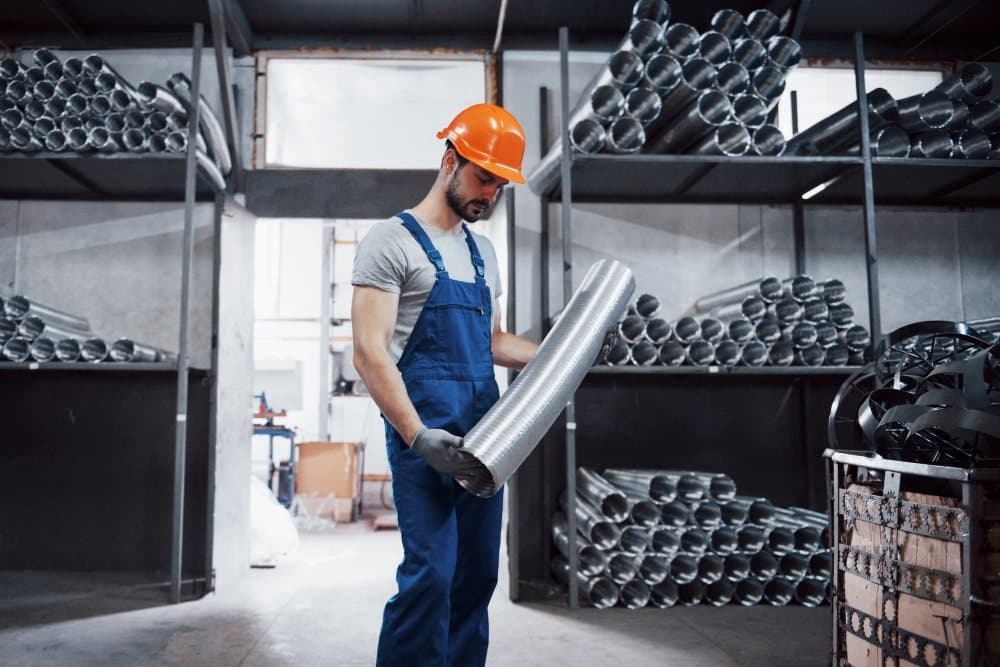
A worker in a hard hat carrying a length of metal ducting through a stores area

Fig. 01·Hovera Build · ProductionIllustration

What it replaces

From guesswork to Hovera Build.

Today

  • A schedule on a whiteboard or in Excel
  • Missing parts discovered at the line
  • Paper travellers on an old drawing revision
  • “What went into this unit?” takes a week to answer

With Hovera Build

  • A drag-and-drop board that knows each machine's capacity
  • A clear-to-build check before anything is released
  • Current instructions and drawings at every station
  • Backward and forward trace in one search

01 · Clear to build

Know you can build it before you start.

Before an order is released, Build checks material, machines, qualified people and open quality issues. Every problem comes with the action that fixes it.

  • Make-to-stock and make-to-order
  • Multi-level bills of materials and routings with revisions
  • Proposed production and purchase orders wait for review, never act alone

Clear to build · PO-7731

1 to fix
Bracket assembly BA-200 · 40 units · due Fri
Material9 of 10 lines in stock
Hinge pin HP-6 short by 80Transfer 120 from Satara →
MachinesCNC-3 and PB-1 free
People2 qualified operators on shift
QualityNo open NCRs on this item

Fig. 02·Clear to buildIllustration

02 · Scheduling

A schedule that explains itself.

See every work centre on one board. Drag to re-order, lock what can't move, and try a change before you save it. Every late order says why it's late.

  • Machine downtime and servicing shaded on the board
  • “12 of 40 by Friday?” answered with the earliest date and the bottleneck
  • Fixed, readable rules. No black box.

Schedule · Week 45

Mon – Fri
MonTueWedThuFri
CNC-2
PO-7720
CNC-3
PO-7724
PO-7731
PO-7735
Press brake
PO-7718
PO-7729
Weld cell
PO-7715
PO-7726
Assembly
PO-7711
PO-7722

PO-7731 is late

CNC-2 down until Thursday. Moved to CNC-3; earliest finish Fri 14:00.

Fig. 03·SchedulingIllustration

03 · The station

A station built for the shop floor.

Operators scan a badge, enter a PIN and scan the job. Large buttons work with gloves on. Most actions take one tap and at most one scan.

  • Start, pause, finish, report good and scrap
  • Call for material or report a machine down in one tap
  • Operators use it free, on shared tablets or phones
PO-7731 · Op 20 · CNC-3

Bracket BA-200

Operator: S. Kulkarni · Shift A

Running

Good

24

Scrap

1

To go

15

PauseReport outputCall materialMachine down

Scan a lot or badge at any time

Fig. 04·The stationIllustration

04 · Material

Material from the store, finished goods straight back.

Build runs on the same stock as Hovera Move. Parts are reserved, kitted and issued by scan. Finished goods are posted into stock with their lot or serial and a rolled-up cost.

  • Bulk parts used up automatically as you report output
  • Line-side bins that ask for a refill when they run low
  • Planned versus actual cost for every order

Kit · PO-7731

Issued
Steel plate 3 mmLOT 24-118×40
Hinge pin HP-6LOT 24-201×80
M6 nut (backflush)Line-side×160

Line-side bin · M6 nut

Below minimum140 / 800

Refill requested →

40 × BA-200 into stockLOT 24-311 · ₹412.60/unit

Fig. 05·MaterialIllustration

05 · Traceability

Trace every unit, both ways.

Every lot or serial you make is linked to the material lots, operators and machines that went into it. For a recall, trace backward to the cause or forward to every unit affected.

  • A build record per serial, one scan away on a phone
  • Printed travellers with QR codes, plus lot and serial labels
  • The wrong lot is refused at the station, with the reason
Serial

BA-200-00418

Plate 3 mm

LOT 24-118

Steel Co. receipt

Hinge pin HP-6

LOT 24-201

Satara transfer

Op 20 · CNC-3

S. Kulkarni

4 Nov, 11:42

FORWARDLOT 24-201 went into 38 units across 3 orders

Fig. 06·TraceabilityIllustration

06 · Quality and machines

Quality and downtime, on the job.

Checks run at the start, every few units or at the finish. A failure opens a non-conformance report and moves bad stock to quarantine. Downtime is logged with a reason, so you see where the hours go.

  • Four outcomes: use as is, rework, scrap, return to vendor
  • OEE for every machine and work centre
  • A shop-floor TV board for the team

CNC-3 · This week

OEE 71%

Availability

84%

Performance

91%

Quality

93%

Where the hours went

Breakdowns38%
Setup and changeover27%
Small stops14%
Slow running9%
Scrap and rework8%
NCR-0092 opened: 1 bracket out of tolerance, moved to quarantine.

Fig. 07·Quality and machinesIllustration

A day with it

A day with Hovera Build.

  1. 07:05

    Planner

    One order is red: “late, CNC-2 down until Thursday”. Drags it to CNC-3, locks it, and gives the customer the new date.

  2. 08:30

    Operator

    Badge, PIN, scan the traveller, tap Start. Scans the wrong bracket lot. The station refuses it and says why.

  3. 11:10

    Operator

    The machine stops mid-run. Taps Machine down, picks a reason, adds a photo. Maintenance already knows.

  4. 13:40

    Storekeeper

    A line-side bin drops below its minimum. The refill request lands in his inbox, sorted by when the line needs it.

  5. Six months on

    Service engineer

    Scans the unit's serial at a customer site. Sees who built it, on which machine, and every part lot inside.

Specs

The details, plainly.

Orders
Make-to-stock and make-to-order
BOMs and routings
Multi-level, with draft, released and obsolete revisions
Scheduling
Finite capacity per work centre. Drag, lock, try first.
Station
Tablet first, gloves-friendly, badge and PIN
Free seats
Operators
Traceability
Lot and serial, backward and forward
Quality
In-process checks, NCRs, quarantine
Machines
Downtime by reason, OEE, andon board
Costing
Planned versus actual material, labour and overhead
Weak network
Actions show “Saving…” and retry
Best fit
Manufacturers with about 20 to 250 people
Requires
Hovera Move for stock and purchasing

Questions

Asked by people like you.

What's an MES, and is Build one?

An MES (manufacturing execution system) runs work on the shop floor: who makes what, on which machine, and how it went. Build does that, plus the planning around it, on the same record as your stock.

Who is Build for?

Manufacturers making discrete products, such as machine shops, fabricators and assemblers, with roughly 20 to 250 people.

Do operators need a licence?

No. Operators use Build free on shared tablets or phones. Planners, engineers and supervisors take a seat.

Does the schedule run itself?

It proposes, your planners decide. Build uses fixed rules you can read, and every late order shows its reason.

Does it connect to our machines automatically?

Today, operators record counts and downtime at the station in a tap or two. Nothing needs to be wired to your machines to get started.

We already have an ERP.

Keep it for finance and sales. Build and Move take the shop floor and the stockroom, and pass the numbers back by CSV or API.

See Hovera Build on your own problem.

Book a call with the founder. Bring one real case and we'll walk through it in Hovera, with sample data shaped like yours.